

Quota Modification in webuzo user disk space
Webuzo is a multi-user control panel where the users access the hosting. All control is vested with admin in control panel. Disk space is a space allocated on a server for storing files regarding website. Disk space is important for the website functionality. Every user can monitor and manage disk space. Quota modification is performed to change the existing limit i.e. increasing or decreasing the disk space. Here we are going to see how to modify the quota of the disk space. Go to the quota modification process and perform the disk space increase or decrease.
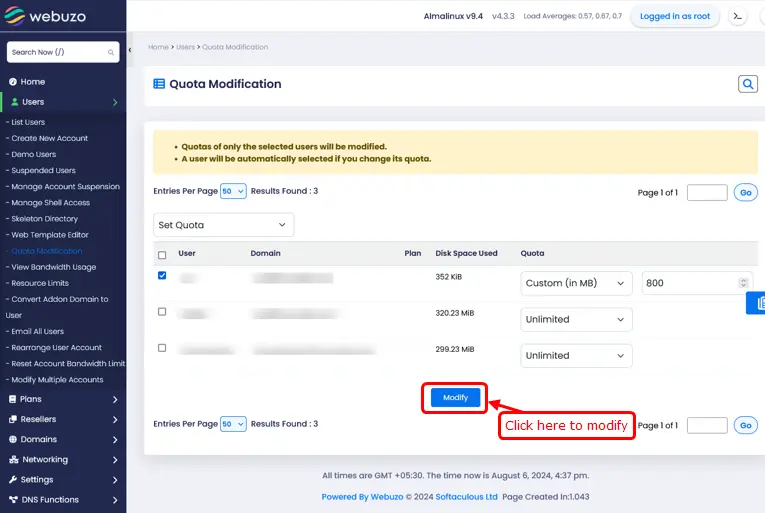
Follow the steps to modify the quota in webuzo control panel in the disk management.
Steps to Modify quota in webuzo user disk space
For multi user
- First, go to webuzo user panel.
- Find the users menu.
- Click the quota modification menu.
- The table displays a list of your users.
- Select all Users to update quota.
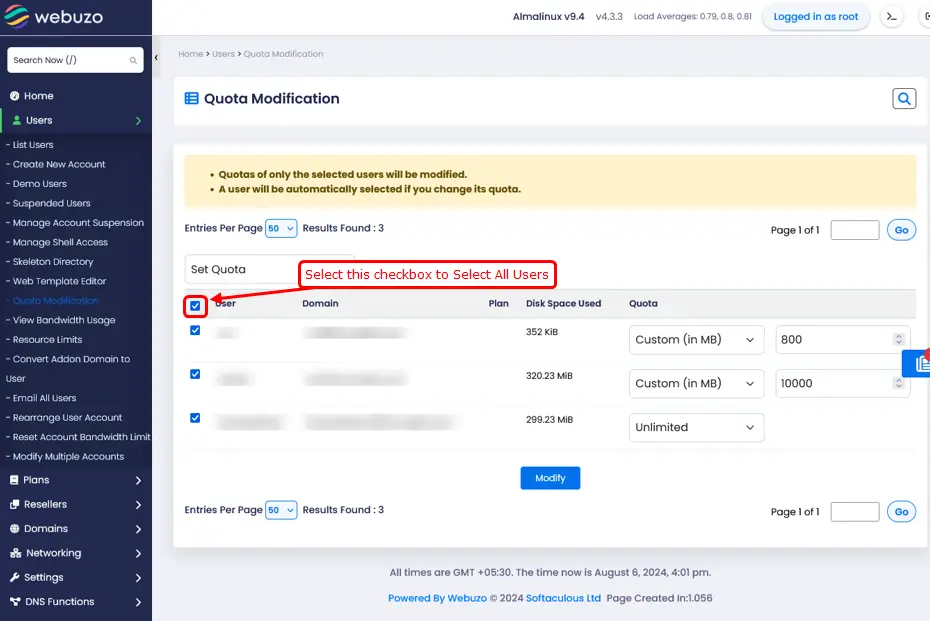
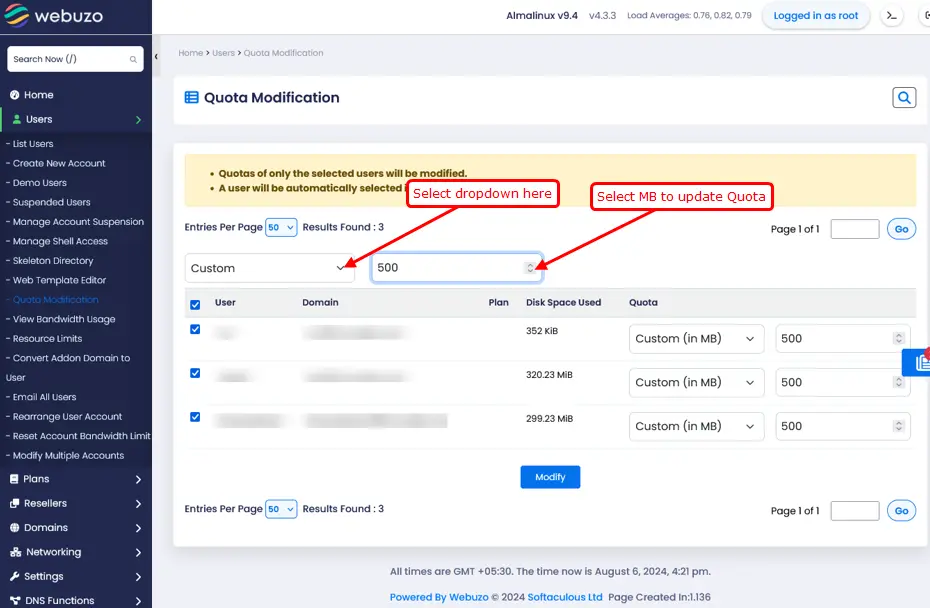
- You can modify the quota for all users at once.
- Select the dropdown and select the MB to update
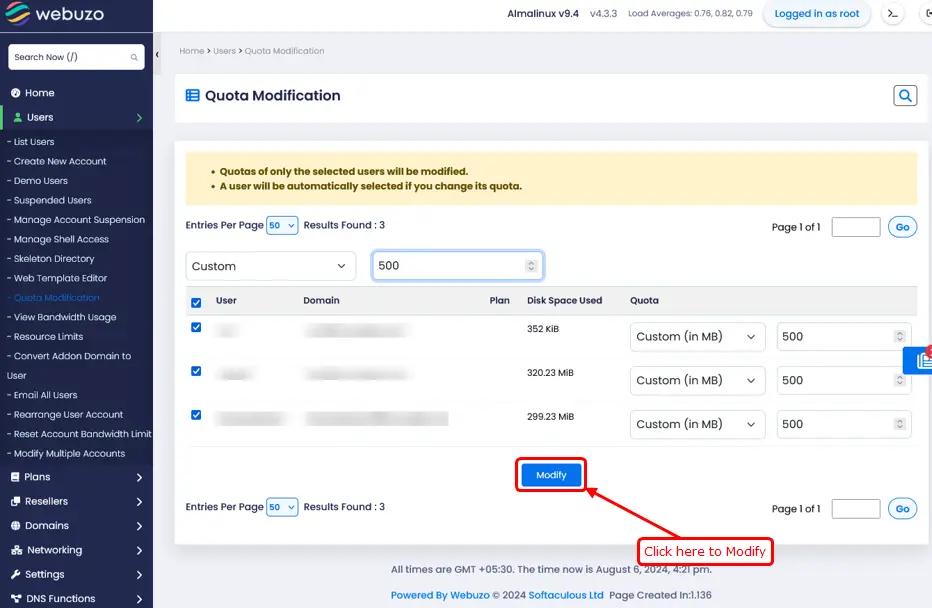
- Click the modify button to modify quota.
For single user
To update the quota for specific users follow the steps below.
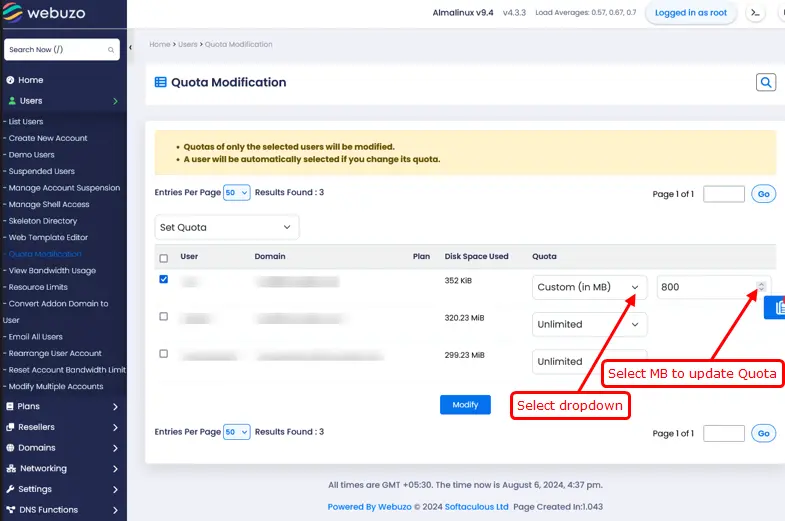
- Select unlimited or custom from the dropdown.
- Click on Modify to Modify quota.
How to setup two factor authentication in webuzo admin email?
Steps to install SSL certificate on webuzo user panel
Navo Hosting is one of the best Cloud Hosting service provider in india. We offer cloud hosting and e-mail services to our clients. Get cloud Hosting at incredibly best price than other hosting comapanies.
Our Services
Web Hosting
We are one of the best cloud hosting services provider in india. We offer following web hosting services to our clients like,
Email Services
We offer email collaboration and productivity tools to our clients our services includes,
